
2. Why Does a 406 Error Occur?
3. How to Troubleshoot a 406 Status Code
3.1 Analyze the HTTP request headers.
3.2 Check Server Configuration
3.3 Debugging REST APIs
3.4 Review Server Logs
3.5 Test and Validate Fixe
4. Tools for Diagnosing 406 Status
Have you ever been hit with a 406 error while trying to access a website or API? It is like asking for a coffee and being told, “Sorry, we only serve tea,” and then being handed a note that says, “Not acceptable.” Frustrating, right?
“A Cloudflare study highlighted that encountering 406 errors can lead to a 12.8% drop in lead conversion rates, underscoring their potential business impact.”
Whether you are a web developer, digital marketer or website owner, encountering the 406 status code can feel like a roadblock to progress. But don’t worry—it’s a problem with clear solutions.
At Dizimods, we are digital marketing agency that has helped many businesses solve issues like this one and we’re here to help you understand the causes and solutions for the 406 error. In this guide, we’ll break down what the 406 status code means, why it occurs and, most importantly, how to troubleshoot it.
Whether you’re troubleshooting an HTTP 406 error in a REST API or facing content negotiation problems, we’ve got practical tips to get you back on track. So, let’s dive into this and resolve this issue quickly.
What is a 406 Status Code?
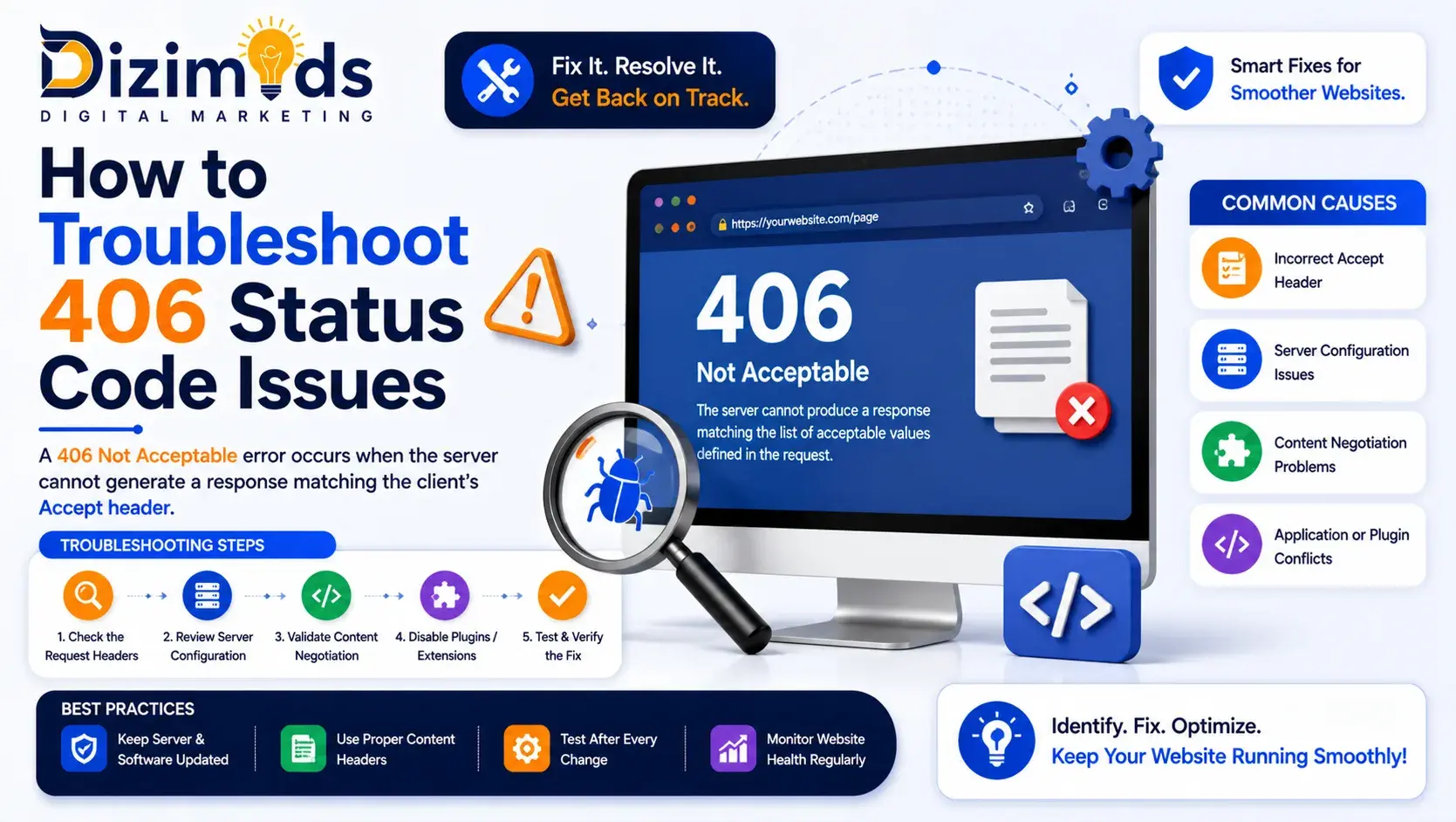
406 or “Not Acceptable,” status code is used in HTTP as a response. It means the server cannot generate a response that meets the client’s request headers. In simple terms, the server has the information, but it cannot deliver it in the format requested by the client.
Most of the time, this error often occurs when:
- The Accept header requests a content type (e.g., application/json) that the server doesn’t support.
- The Accept-Language header specifies a language the server can not provide.
For example:
- Client’s Request: “Send me the data in XML format.
- Server’s Response: “I can only send JSON, not XML.
This mismatch results in the 406 status code.
Why Does a 406 Error Occur?
Understanding the causes of a 406-response code can help pinpoint the problem faster. Some of the most common reasons include:
Content Negotiation Mismatches
- The server and client don’t agree on the requested content type or language.
Misconfigured Server Settings
- Servers like Apache or NGINX may have restrictive rules that block certain requests.
API Header Issues
- In REST APIs, incorrect or missing headers often trigger a 406 error code.
Security Software Restrictions
Web Application Firewalls (WAFs) may also block requests and hence cause an HTTP 406 error
How to Troubleshoot a 406 Status Code

Now that you know why the 406 status code comes up, it’s time for action. Here’s a practical, step-by-step guide to fix the 406 status code:
Analyze the HTTP request headers.
SEO agencies start by inspecting the headers in your client’s request. Tools like Postman, cURL or your browser’s Developer Tools can help.
Look for the headers for these:
- Check the Accept header: Ensure it lists content types the server can provide (e.g., application/json).
- Verify the Accept-Language header: Ensure it requests a supported language (e.g., en-US).
Check Server Configuration
The issue might lie in how your server is configured.
- For NGINX: Inspect the nginx.conf file to ensure supported MIME types are defined.
- For Apache: Review .htaccess or other configuration files for restrictive rules.
Pro Tip: Add a default fallback to handle unsupported requests gracefully.
Debugging REST APIs
While working with an API, it is relatively common to have incorrect headers, which are a common cause of HTTP 406 errors. Here’s how SEO experts resolve it:
- Check the API documentation to confirm that you are indeed using the correct headers.
- Use tools like Postman to test specific endpoints.
- Sent:
- Expected:
httpCopyEditAccept: application/json
httpCopyEditAccept: application/xml
Review Server Logs
The server log contains useful information that sheds light on the core of the error causing the 406 status code.
- For Apache: Check /var/log/apache2/error.log.
- For NGINX: Check /var/log/nginx/error.log.
Look for error messages related to content negotiation or header mismatches.
Test and Validate Fixes
Performing the above steps can eliminate the recurring error; let’s see how you can ensure that the HTTP 406 error has been resolved:
- Use different devices and browsers to ensure compatibility.
- Simulate requests with varied headers using tools like Fiddler or Postman.
Tools for Diagnosing 406 Status

Understanding the causes of a 406-response code can help pinpoint the problem faster. Some of the most common reasons include:
Here’s a list of tools that can help troubleshoot and resolve 406 status code issues, along with their functionalities:
Postman: Test API requests and analyze responses.
Fiddler: Inspect and modify HTTP requests in real time.
Wireshark: For advanced packet analysis.
Google Search Console: Monitor crawling issues caused by HTTP 406 errors.
Preventing 406 Errors
1. Set Default Responses
Configure your server to send a default response (like a 200 OK) when it can’t meet the client’s headers.
2. Regular Testing
Simulate different requests to catch potential issues early.
3. Keep Security Rules Updated
Ensure your WAF or firewall rules don’t block legitimate requests.
How to Troubleshoot 406 Status Code Issues Effectively
The 406 status code does not have to be a roadblock. Once you understand its causes and follow the troubleshooting steps outlined in this guide, you can easily resolve the issue efficiently. Whether it is a problem with content negotiation, server settings or API requests, the solution is often just a few steps away.
If troubleshooting feels overwhelming, don’t hesitate to reach out for expert help. Our team at Dizimods specializes in resolving HTTP errors and optimizing business websites for seamless performance.
Frequently Asked Questions
Result-Driven SEO Agency Backed by Experience
Built for brands that want long-term growth – not shortcuts.