

Table of Contents
Whether you are brand new to Amazon selling or have your catalog all set, the following optimization techniques will enhance your product offerings and increase sales.
Additionally, you will find ways to increase customer engagement and other techniques to improve your product visibility.
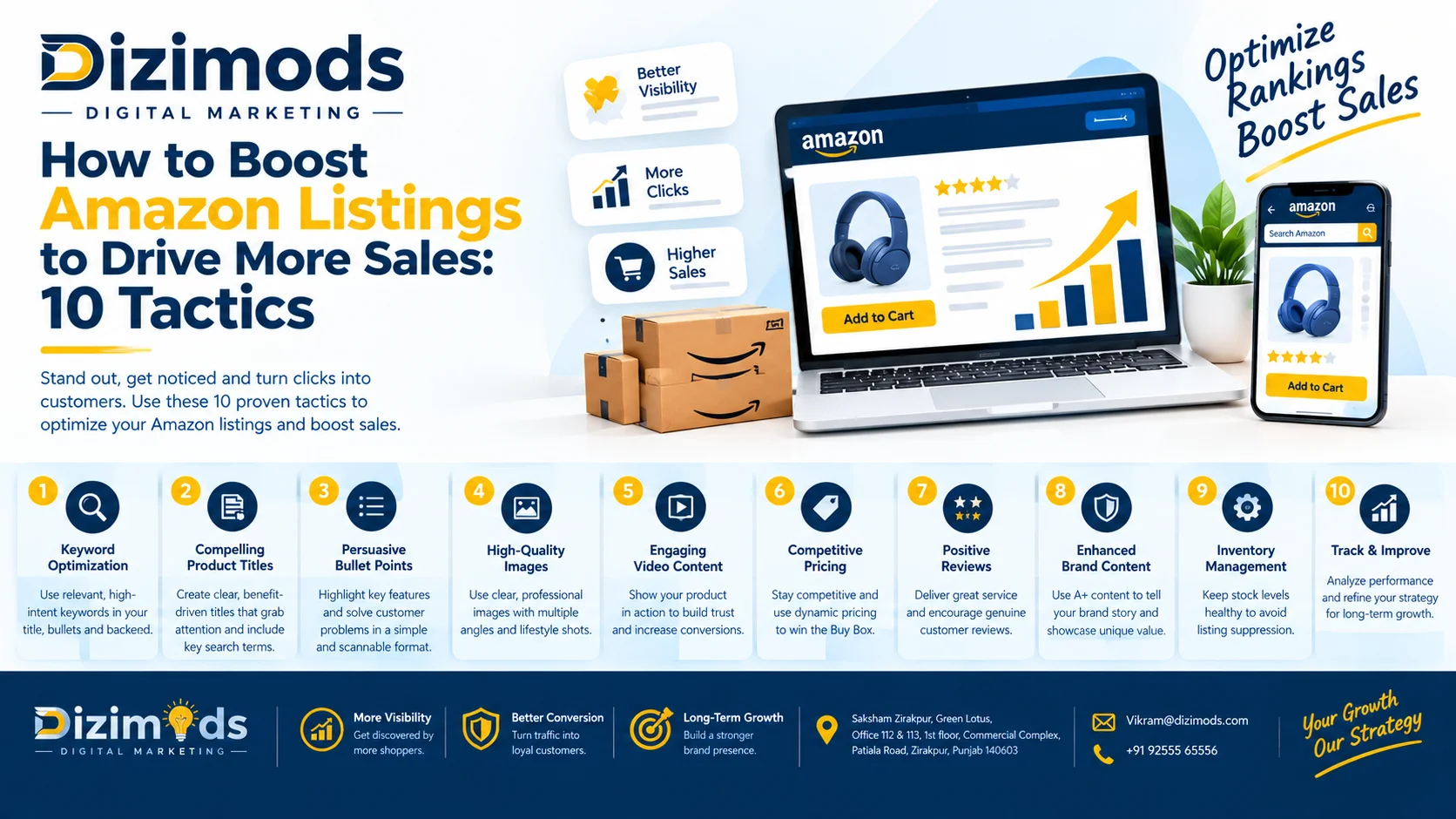
1. Optimize listings to rank in search results.
There are several strategies when it comes to Amazon product listing optimization. With each strategy you implement, you further optimize your listings and can improve profits.
Optimize titles and descriptions.
First, help customers locate your products and make buying decisions by optimizing your product listings with well-crafted product titles and descriptions. Use your knowledge of your industry and your niche and conduct audience research. Are titles most effective when they are short and to the point? Or are descriptive titles with more words optimal?
When it comes to descriptions, write ‘short buying guides’ that include who the product is for, the problem the product solves, and the major benefits. Avoid writing about the product like a user manual, and don’t repeat what’s written on the manufacturer’s website.
Other tips:
Keep your product titles short. Although Amazon allows up to 200 characters, we recommend using 80 or fewer.
The length of Amazon’s product description character limits varies by product category, but aim to create informative and clear descriptions regardless of the limit.
To find out what content works best for you, use split tests and see what converted the most. Amazon allows you to compare two versions of content, like title variations and/or photo choices, using their Manage Your Experiments tool.
Use search engine optimization.
Search engine optimization (Amazon SEO) is another method you can use to rank your product listings higher. To rank your product listings higher, use SEO to place targeted keywords in your product descriptions to rank for product-related searches and provide the information your customers are searching for. Focus on buying-intent keywords. These keywords represent exactly what a customer is searching for when they’re about to make a purchase. For instance, when it comes to searches for “water bottle,” a buying-intent keyword would be “stainless steel insulated water bottle 32 oz.” On the other hand, a broader, non-buying-intent keyword would be “water bottle.” If your product is an electronic device, then when potential buyers are searching for that product, they may care about battery life and case colors. In that case, using the keywords “battery life” and “case color” would help describe your product better.
Leading AI-based search tools can use your listing content to determine relevant product recommendations for customers. Therefore, to enable these tools to easily analyze your listings, provide the information in a format that answers customers’ questions directly. For example, if a customer asks ‘What is the best water bottle for hiking?’ and your listing states your water bottle is good for hiking, the tool will provide a recommendation for your product.
Track your performance.
Amazon provides analytical tools for sellers to track their listing performance. For instance, the FBA dashboard provides summarized information of your FBA business, including sales. This information is useful to identify poor-performing listings in need of improvement. For example, if a listing has many views but little to no sales, then the product listing may need an improvement of the product description or product images.
2. Experiment with online advertising options
Unlike traditional business advertisement, e-commerce allows for product advertisement in a number of unique and interesting ways. Learn more about some Amazon-sponsored advertisements below:
Sponsored Products: Also known as pay-per-click advertisements, sponsored products give sellers the opportunity to list their products in search results and product detail pages. Advertisers pay only when their listing is clicked. Sellers are allowed to create product advertisement campaigns, select keywords, and set a maximum cost per click. For keywords, sellers are permitted to select keywords to target competitors’ product listings. Alternatively, sellers may select for Amazon to select keywords and product listings for advertisement placement. Products that are listed in sponsored advertisement campaigns are shown to get a 50% average weekly ordered unit lift in the first year after launch.
What is Rewrite?
Sponsored Brands: These cost-per-click product listing ads allow Amazon sellers in Brand Registry to showcase their brand logo and a custom headline and sponsor multiple listings. These ads can be used to build brand awareness and to push specific products. Like Sponsored Products, with Sponsored Brands, you can use video to capture shoppers’ attention to aid product listing results.
Display: If you meet the prerequisites, these are digital advertising campaigns that allow you to reach customers not only on Amazon but also on other sites and apps, using images and videos to capture customer interest. Unlike other Amazon Marketing Services (AMS) advertisements, with these campaigns, you won’t use keywords to compete in an auction. Instead, you’ll use images, video, and other contextually relevant ads to capture the customers’ interest.
You can also use your own marketing campaigns and get a brand referral bonus for sending customers to Amazon product listings. To get started, enroll in the Amazon Brand Registry and also open an Amazon Ads account to access Amazon Attribution.
3. Offer discounts to attract purchases
To increase sales, reduce the price of your products. With Amazon Coupons, discounts are displayed as dollar- or percentage-off amounts on a coupon badge that appears in Amazon search results as well as on the Amazon Coupons page.
You can also reach a broader audience with Amazon Social Media Promo Codes, which allow you to provide customers percentage-off discounts on eligible products. Shareable URLs allow you to post the promo codes on social media or marketing content created by influencers. Discounts can attract new customers and/or get existing customers to purchase again.
4. Earn quality reviews
Product reviews have the potential to create trust with your customers, provide the answers to your customer’s questions, and help push your customers to make a purchase. Building up product reviews, especially for new releases, can be a real challenge. The Amazon Vine program allows you to provide product units for free to reputable Amazon product reviewers, in turn allowing you to build up reviews for your product, create and build trust with your customer base, and help expose your product/brand to new customers.
5. Focus on fulfillment and shipping.
Shopping options are important when a customer makes a purchase decision. One study showed that 56% of shopping carts were abandoned due to shipping concerns. Shoppers on Amazon can search for products and display their results according to how quickly they can deliver the product. In order for your products to compete with other merchandise on Amazon, you can offer faster shipping at a lower rate. Because of the competitiveness of offering the fastest shipping at the lowest cost, many merchants use Amazon’s Fulfillment by Amazon (FBA). With FBA, merchants ship their products to Amazon fulfillment centers, and Amazon stores the products for them. When products are purchased, Amazon ships the product and can also assist in customer service and returns.
6. Stay in stock.
To successfully manage your Amazon listing, you need to ensure that you keep inventory stocked to meet demand. Having inventory available helps you capture your customers’ attention. You also need to be proactive and plan your inventory to avoid unexpected out-of-stock situations.
If you sell through multiple sales channels, you need to ensure that your inventory levels are the same to avoid going out of stock. You can also use the FBA Restock tool to plan your inventory. The tool takes into account your sales history, forecasts your future demand, considers seasonality, and generates planning recommendations based on your settings.
7. Reach customers in different regions
If you are in the U.S., remote fulfillment with FBA allows you to create offers in Amazon’s Mexico and Canada stores. When a customer buys the product, Amazon will send it to the customer from one of your U.S. fulfillment centers, where it will have previously been stored. Use inventory you are already storing with FBA, or enroll new products and send them to Amazon.
8. Tinker with prices to get more clicks.
Keep your prices competitive to scale your business. Amazon’s Automate Pricing tool can automatically change your product prices based on changes in consumer demand and featured offer prices.
9. Enhance the shopping experience with A+ content.
Add A+ content to product listings to reinforce and illustrate product features and attributes, your brand story, and anything else that helps persuade customers to purchase. A+ content appears on the detail page and offers many content modules from which to build out your story. Add content, branded videos, and other selling features to illustrate your product in use.
10. Convert browsers into buyers with shoppable videos
Give customers more product information on your detail pages with shoppable videos. Videos show products in use and help customers understand the benefits and features of your products. Videos also help increase time on page and engagement and give customers more flexibility to purchase. Shoppable videos are placed in search results, on your main product pages, and shown below the fold. With video listing enhancement, you are able to build a stronger shopping experience for your customers to aid in the purchase decision.
Boost sales with Amazon listing optimization.
You will want to think about strategies for growth after building your Amazon storefront and creating your product listings. Starting with minor edits to product titles and descriptions and changing up your e-commerce advertising strategies are great places to begin. You can use MYE (which stands for “Make Your eCommerce”) to track your sales and see what’s working. As part of the Amazon resources available to you, make sure to look into Automate Pricing and A+ Content, too.
FAQ: How to boost your Amazon listing
The best strategies to improve Amazon listings depend on your products and your business goals, but in general, there are a number of ways to increase the number of sales you make through Amazon, including:
- Improving your Amazon listings by using SEO and/or A+ Content and split testing your listings.
- Using Amazon Digital Ads like Sponsored Products and Sponsored Brands.
- Using Amazon Attribution to run marketing campaigns and drive traffic to your listings.
- Using Amazon Vine to build social proof.
- Finding customers in international markets.
You can also improve the shopping experience by offering fast, free shipping; using dynamic pricing to manage your inventory to increase your chances of having your product featured as Amazon’s offer; or by offering used or refurbished products.
Result-Driven SEO Agency Backed by Experience
Built for brands that want long-term growth – not shortcuts.